Heart Decorated Text – Copy & Paste Fancy Heart Fonts
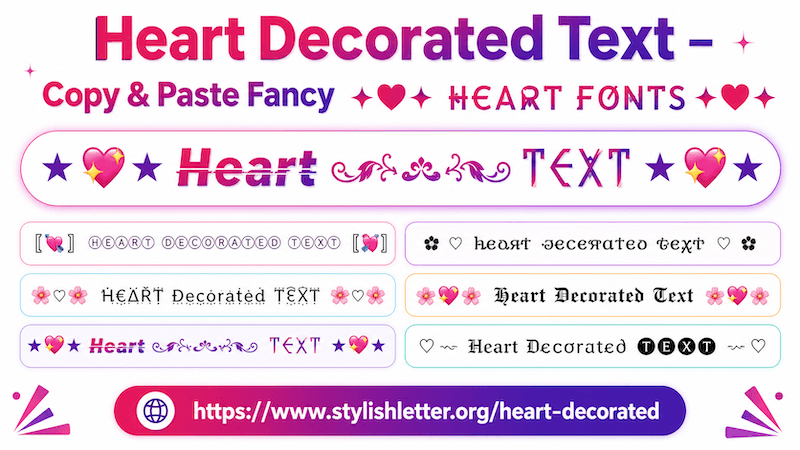
Heart decorated text is a fancy text style that transforms your normal text into stylish and decorative
letters.
It changes your text into different font styles and adds heart signs and emoji decorations. As the name
suggests, these
styles include different types of heart symbols such as red hearts, pink hearts, white hearts, text hearts, and
many other decorative elements.
Along with hearts, you may also see stars, diamonds, fire symbols, butterflies, Japanese-style emojis
(kaomojis), and cute decorative symbols.
All of these elements together create heart decorated fancy text that works well for expressing affection and
sending warm messages.
Here you will find a collection of heart decorated fancy text styles.
You can generate, copy, and paste more than 100+ heart decorated fancy text styles.
How to Copy Heart Decorated Fancy Text
It is quite easy to do.
First, type your name, nickname, or any text into the input bar.
As you type it, this will automatically generates heart decorated fancy text styles for you.
Now simply click on the style that you like.
As clicked, you will see a "Copied" notification.
That means your text has been copied successfully.
Now you can paste and share it anywhere you want.
Why Should I Use Heart Decorated Fancy Text?
Heart decorated fancy text is commonly used when people want to send messages that feel warmer, more expressive,
and more personal.
Many people use these styles when sending messages to someone they care about, such as a partner, spouse, close
friend, or loved one.
Heart symbols and decorative styles can make simple messages feel more expressive and visually appealing.
\
Sometimes normal text may feel too plain, while decorated text can make greetings and messages feel more
special.
These styles are also useful for usernames, bios, status messages, greetings, and cute social media posts.
If you want to make your message feel more thoughtful or visually expressive, heart decorated fancy text can be
a good choice.
How Can I Generate More Heart Decorated Fancy Text Styles?
It is really easy to do.
As your fancy text is generated and Now, you want more styles, simply scroll It down.
There you will find a button called "More Heart Stylish Letters".
Click it to generate 10 more heart decorated fancy text styles.
Click again to generate more.
In this way, you can generate more than 100+ heart decorated fancy text styles.
Why Should I Use Regenerate It Button Function?
This is one of the built-in features of the website.
It is especially useful for people who do not like scrolling.
You can find the regenerate button at the bottom of the screen.
There you will see three icons, and the regenerate button appears beside the bulb icon.
When you click it, it refreshes the heart decorated section with new styles.
Click again to generate more.
This allows you to explore many different designs without scrolling.
To copy any style, simply click it and you will see a copied notification.
How Should I Decorate My Heart Decorated Fancy Text?
If you want to decorate your heart decorated fancy text even more, you can use the Deco
feature.
First, choose the style that you like.
On the right side of that style, you will see a green button labeled "Deco".
Click it and a Flourish Stylish Letter pop-up will open.
Inside, you will find additional decoration styles with symbols, kaomojis, and creative designs.
Open the Select Option menu.
By default, it is set to Default Flourish.
For heart decorated text, two popular options are:
- Kawaii Flourish – adds Japanese-style emojis, cute symbols, and playful decoration.
- Cute Flourish – adds hearts, cute icons, and extra decorative elements.
These options work especially well for making heart decorated text look softer and more expressive.
To copy any decorated style, simply click it and it will be copied automatically.