︻╦̵̵͇̿̿̿̿══╤─ 𝒢𝓊𝓃 - Stylish Text Letters
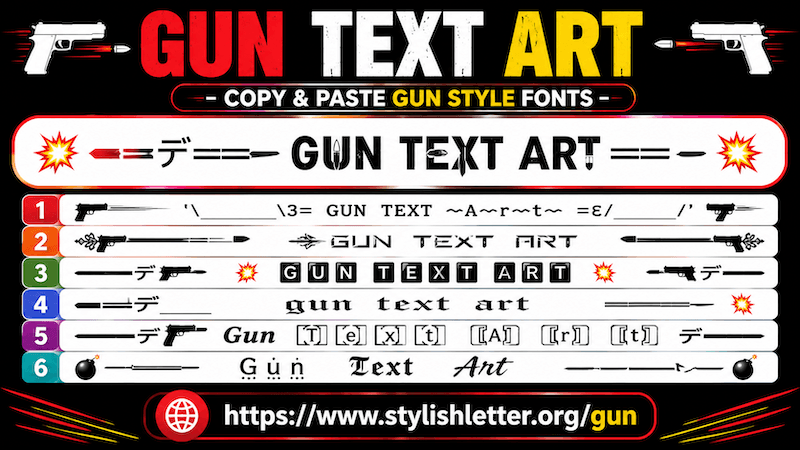
Gun text art is a fancy text fonts style. When you enter your normal
text, it transforms it into stylish text and adds decorative text art.
These styles often include symbols inspired by gaming, decorative icons, Japanese-style emojis
(kaomojis), and explosive-style effects to make your text look more unique and energetic.
That is why many of these text styles feel bold, action-inspired, and creative.
Here, you will find more than 100+ gun fancy text styles that you can copy, paste, and share
anywhere you want.
How to Copy and Paste Gun Text Art?
It is quite easy.
First, click on the input bar and type your message, nickname, username, or any text you want.
As you type it, this will automatically generates gun text styles for you.
These styles are especially popular for gaming nicknames and usernames.
Now simply click on any style that you like.
as you clicked, you will see a "Copied" notification.
That means your text has been copied successfully.
Now you can paste and share it anywhere you want.
How Can I Load More Gun Text Art?
It is quite easy.
After generating text, you will see many gun text styles.
If you want more options, simply scroll down and find the "More Gun Stylish Letters" button.
Now, you have ot click it, as you click, this generates 10 more gun text art styles.
Click again to load even more.
You can continue doing this and generate more than 100+ gun fancy text styles.
Can I Use Regenerate It Button Here?
Yes, you can.
It is one of the easiest ways to explore more styles.
You can find the regenerate it button at the bottom of your screen beside the bulb icon.
You will also notice the same icon before the Gun Stylish Letter section.
When you click it, it refreshes and generates new gun fancy text styles.
Click again to generate more text arts.
This feature is especially useful for people who do not want to keep scrolling.
If you find a style you like, simply click it and it will be copied automatically.
Why Should We Use Gun Text Art?
If you enjoy gaming or want a stronger and more energetic style for your nickname, this fancy text style can be
a good choice.
These styles are especially popular for usernames, gaming profiles, and creative display names.
They work well for games such as PUBG, Free Fire, Call of Duty, and other action-style games where players enjoy
unique nicknames.
Decorative symbols and themed text can make your nickname stand out compared to plain text.
If there are many usernames shown together, a unique styled nickname may attract more attention and feel more
memorable.
That is why many gamers like using this type of fancy text for usernames and profiles.
Can I Decorate My Gun Fancy Text?
Yes, you can.
First, generate your fancy text.
As you find a style that you like, look on the right side and click the green backgroundDeco
button.
When you click it, a new pop-up called Flourish Stylish Letter opens.
There, your selected text is decorated with additional symbols, kaomojis, and other creative elements.
If you enjoy gaming-style decoration, you can select Gamer Flourish.
It adds more themed decoration and creates more variations of your selected text.
If you do not like the current design, simply click the regenerate it button.
Every click generates more decorated styles.
To copy any design, simply click it and it will be copied automatically.