Attitude font style - Copy and Paste Attitude Fancy Text
Attitude font style is a fancy text that changes your normal text into attitude like text styles. Why
do we call it attitude fancy fonts?
Because when you see these text styles, It feels like they are giving an attitude-like feeling.
And It does it while making your text look bold and stylish.
Here you will find a collection of attitude fancy text styles.
You can explore more than 100+ attitude fancy text styles that you can copy, paste, and share
anywhere you want.
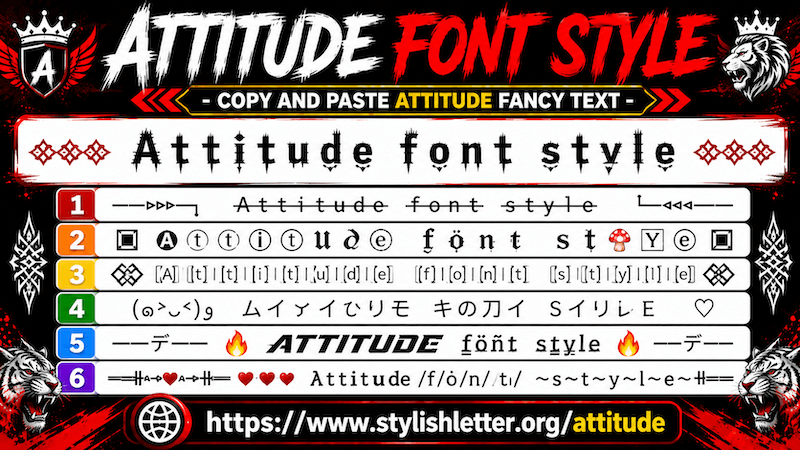
How Does this Font Style Give Attitude Fellings?
The symbols and designs used in these Font styles help to create attitude look. When you combine those symbols
with your own words, messages, names, or nicknames, they create a stylish attitude effect. Because these symbols
that is being used here, some way it gives you felling of attitude. for example you will see here
kaomoji, symbols, emojis and text arts that are only focused on attitude like feelings.
Examples Of Gaming NickNames:
╔═══━━─◥◣⁅R⁆OY⃝Åᄂ乂̷Kᛨ🇳 g◢◤─━━═══╝
⸻𓆩L̊E̊V̊E̊L̊_̊M̊ÅS̊T̊E̊R̊𓆪⸻
♛ ꝈƐỼƐꝈ_ⱮȺϚͲƐའ ♛
☬╭∩╮(︶︿︶)╭∩╮☬レ乇√乇レ_ᄊム丂イ乇尺
▄︻デ══━一💥 ฬI̊ℕ_𝙼̷ïɳᗪꕷ🅔𖢧 💥一━══デ︻▄
How to Copy and Paste Attitude Fancy Font style?
It’s quite easy.
Click on the input bar and type your text .
Once you do that, it will automatically generate lots of attitude fancy font styles for you.
Now simply click on the one you like.
When you click it, you will see a "Copied" notification.
When you see that, it means your text has been copied successfully.
Now you can paste or share it anywhere you want.
How Can I Generate More Attitude Fancy Font Styles?
It’s quite easy to do.
When you scroll down, you will find a button called "More Attitude Stylish Letters".
Now, Just click it, As you click it will generate 10 more attitude fancy font styles for you.
Click again and it generates 10 more. Like that you can
keep clicking and you can generate more than 100+ attitude fancy font styles.
How Can I Use Regenerate It Button?
It’s really easy to do. You have click on Regenerate It button which is located at the bottom of your screen.
There you will find three buttons, middle one is Regenerate It button.
When you click it, it refreshes and generates new attitude fancy font styles for your.
Click again and it refreshes again with different styles and like that you can keep doing it until you find the
one you like it.
The regenerate button is specially designed for people who do not like scrolling.
It allows you to refresh and explore new fancy fonts quickly.
If you want to copy one, simply click it.
Once clicked, you will see a "Copied" notification, which means your text has been copied.
Can We Decorate Attitude Fancy Font Style?
Yes, you can.
Once you generate attitude fancy font styles, you will see a green background button on the right side called
Deco.
When you click it, a new page opens where your fancy text gets additional decoration.
For example, if you like one style but want to make it look more decorative, then the "Deco" feature helps with
that.
When you click the green "Deco" button, a new page opens where more emoji symbols, kaomojis, and decorative
elements are added.
It does not change your original fancy text. it simply decorates it and makes it look more stylish.
You can use it the same way as before.
Click any decorated style and it will be copied.
How Can I Make Attitude Fancy Text Bigger and Smaller
It is really easy to do.
First, Find the Font Size slider that you will find below the input bar.
Now, Slide it to the right side to make the text bigger.
Slide it to the left side to make the text smaller.